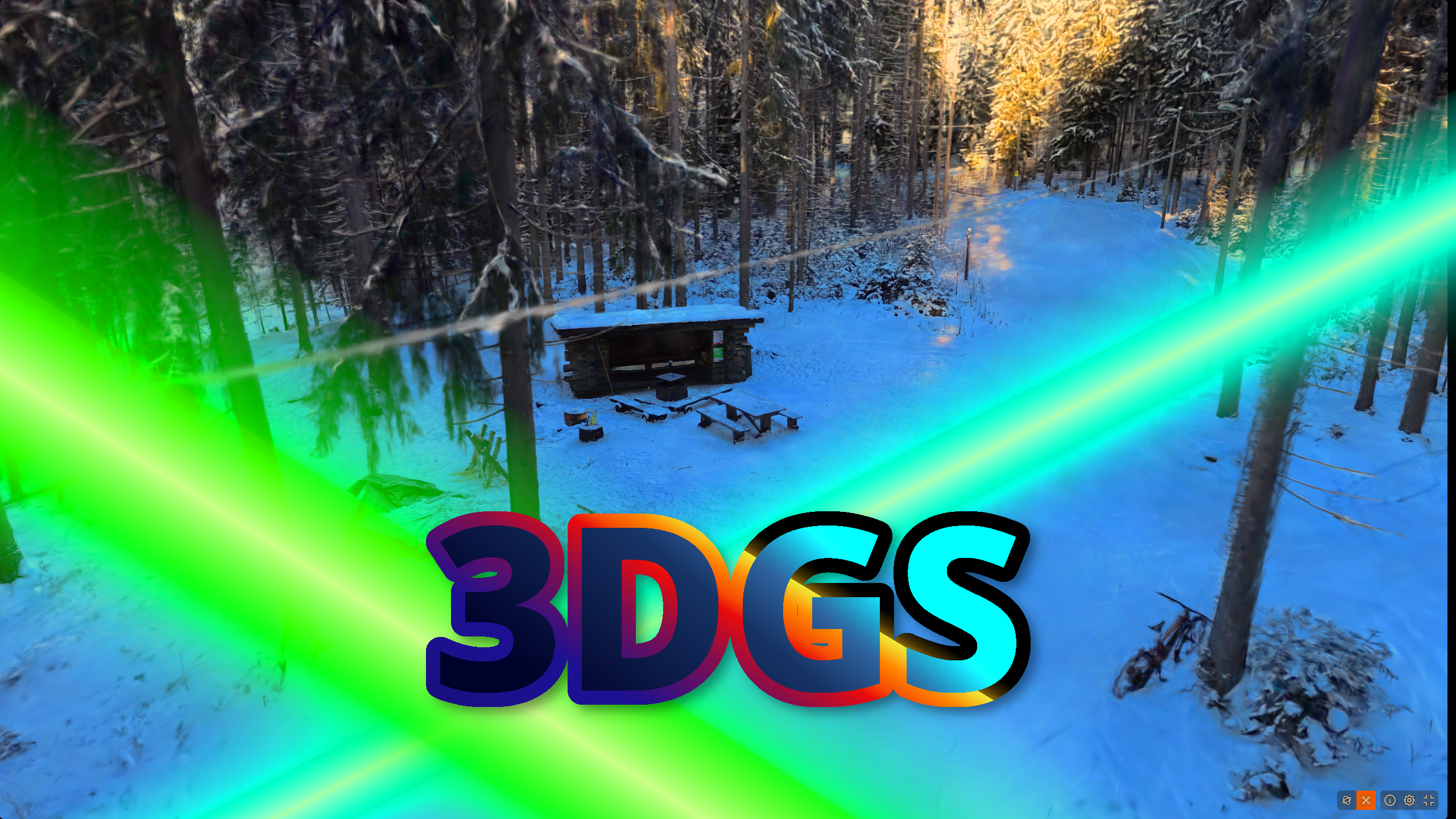
3DGS and Kaliksen laavu
Gaussian splatting. What is it? Basically, instead of building a 3D scene out of tiny triangles like a video game, you fill it with millions of little fuzzy transparent blobs (like soft colorful cotton balls floating in space), each one knowing its position, size, color, and how see-through it is. A clever algorithm figures out where to put all these blobs from regular photos, and then you can look at the scene from any angle in real time because drawing a bunch of blobs is way faster than the fancy ray-tracing stuff that came before it.
How do you make one? Well that is a bit more complicated. Depending on your available devices for capturing and processing, you might opt for apps like Postshot, KIRI Engine or Scaniverse. For this task however, the choice was a little harder.
AMD and Gaussian Splatting
I own an RX 9060 XT with 16GB of VRAM. Great, right? Not so fast. Most high-quality gaussian splatting software (Postshot, Nerfstudio) is designed to run on Nvidia’s cards. Even if the 16GB VRAM allows for massive splats on a very cheap card (under 400€), this is a massive obstacle. AMD cards usually have poorer support for niche applications because of smaller market share and thus have smaller market share. I however found a Google research project adapted by Arthur Brussee on GitHub which is suitable for this task. It is free, open source and it works on a wide range of systems: macOS, Windows, Linux with AMD/Nvidia/Intel cards, Android, and in a browser.
Capturing
While you can capture video for gaussian splatting with basically anything (phone, GoPro, tablet, VR headset, etc.), I found that multiple views reframed from a 360 camera is the best compromise due to a multitude of reasons. This was somewhat inspired by Olli Huttunen’s the tri-camera setup.
My Insta360 X5 was bought at a discount for what I think was 419€ incl. shipping. In addition I use a 59€ Action Selfie Stick during capturing. You can get a standard Insta360 X5 bundle for 619€ normally.
I captured my splat (that you can see at the top) in 8k@30fps standard video mode, with a pre-set white balance. I walked around the area at 3 different capture heights (eye-level, 1m above eye-level and 1m below eye-level with the stick upside down) and took the paths ~50m away from the central area and back.
Processing
For my camera at least I have to export the video with Insta360’s software. I found that you have to turn off “FlowState Stabilisation” before exporting to make sure that the video rotation stays locked to the camera’s rotation. In Insta360 studio (running through Wine) the H.265 export for the ~13m 8k@30fps video took a few hours, probably due to missing drivers or something. You could probably do the splat with the 360 equirectangular video, but I found that doing some reframing into 7 different views gave better results.
The views
7 views reframed with Python as 90° FOV 1920x1920 frames @ 1 fps:
Front
Just front
Right
90 degrees right
Left
90 degrees left
The 4 corners
Each corner of the “front” view tilted 45 degrees, basically if you look 45 degrees first left/right and then down/up.
Rig
Since the reframed images are now 7 different views from the same exact position, making a rig saves a lot of time and helps with mapping. I just did this with some AI-generated python code that seemed to work, just like the reframing.
Actual splatting
Downloading and running the Brush executable is not enough. First you need to run COLMAP (or a GPU-based matcher like hloc for Nvidia cards).
After hours of messing around with settings, the commands that I found that could process my 5586 images in a reasonable timeframe into reasonable results were:
DATASET='path/to/dataset'

# add rig to database
colmap rig_configurator \
  --database_path $DATASET/database.db \
  --rig_config_path $DATASET/rig_config.json

# extract features
# intrinsics are known, so we supply them directly
# SiftExtraction.use_gpu 0 because AMD has no working support
colmap feature_extractor \
  --database_path $DATASET/database.db \
  --image_path $DATASET/images \
  --ImageReader.camera_model PINHOLE \
  --ImageReader.single_camera 1 \
  --ImageReader.camera_params "960,960,960,960" \
  --SiftExtraction.use_gpu 0 \
  --SiftExtraction.max_image_size 1920 \
  --SiftExtraction.max_num_features 8192 \
  --SiftExtraction.estimate_affine_shape 1 \
  --SiftExtraction.domain_size_pooling 1 \
  --SiftExtraction.num_threads -1

# match features
colmap sequential_matcher \
  --database_path $DATASET/database.db \
  --SequentialMatching.overlap 10 \
  --SequentialMatching.quadratic_overlap 1 \
  --SequentialMatching.expand_rig_images 1 \
  --SequentialMatching.loop_detection 1 \
  --SequentialMatching.loop_detection_period 10 \
  --SequentialMatching.loop_detection_num_images 50 \
  --SequentialMatching.vocab_tree_path $DATASET/vocab_tree_256K.bin \
  --SiftMatching.use_gpu 0 \
  --SiftMatching.num_threads -1

# map everything
# optimize_intrinsics and
# optimize_principal_point off because they are already known
# use_gpu 0 because AMD has no working support
glomap mapper \
  --database_path $DATASET/database.db \
  --image_path $DATASET/images \
  --output_path $DATASET/sparse \
  --output_format bin \
  --GlobalPositioning.use_gpu 0 \
  --BundleAdjustment.use_gpu 0 \
  --BundleAdjustment.optimize_intrinsics 0 \
  --BundleAdjustment.optimize_principal_point 0 \
  --Thresholds.min_inlier_num 30
Brush
Now in Brush, the default settings are often satisfactory.
For better quality however I chose to drop the SH bands down to 2 and set the splat cap at 7000k which was the maximum that my card could contain before noping out.
Because I also wanted more iterations for better quality (120k, with growth stop at 90k) I also changed the refinement frequency from 200 to 500 and the growth selection fraction from 0.1 to 0.035.
That’s it, really. With these few simple steps I made what I claim is the best 3D representation in the greater Kalevankangas area.
You and 3DGS
You will probably never have this combo of gear and requirements.
- an AMD RX 9060 XT
- powerful Ryzen CPU
- an Insta360 X5
- must run on Arch Linux
- as high quality as reasonably possible
General people will probably have the following combo or most of them anyways:
- less-than or average PC with under 8GB of VRAM
- a phone with atleast a semi-decent camera
- running commands on Arch Linux is out of the question
- acceptable quality
If you fall into this category, you can still achieve good 3D representations with 3DGS.
Scaniverse
Niantic’s Scaniverse allows you to capture and splat on your phone in minutes. Free, simple, just much lower quality.
Luma AI
You can upload images or video taken with your phone to Luma AI and get a semi-decent quality splat.
KIRI Engine
KIRI Engine works the same way, makes arguably better splats (according to sentiment, not experience), you just have to pay.